

 NZXT
NZXT
Internal USB Hub
Best expansion solution for PC builders needing extra internal USB ports.

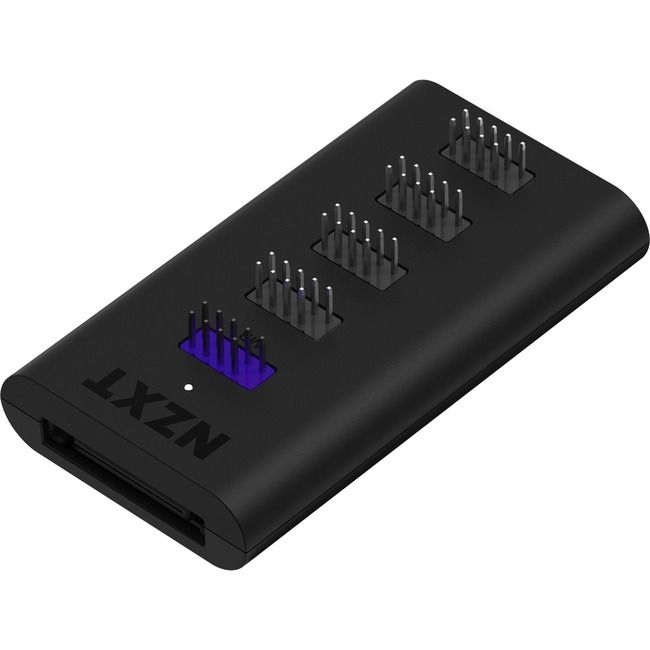
Expand your internal USB connectivity with the NZXT Internal USB Hub. This essential component is designed to integrate more USB devices seamlessly within your system build, providing four dedicated USB 2.0 internal ports. It's perfect for connecting internal lighting controllers, fan hubs, or other peripherals that require a direct motherboard connection. Featuring a desktop form factor, this hub offers a clean and efficient solution for managing internal USB headers, ensuring you have the necessary connections for all your system's needs. Its plug-and-play functionality makes integration simple.
$21.24
Owner Satisfaction
4.6
/ 5
Category Rank
19
/ 701
#19 in USB & FireWire Hubs
Price vs Category Average
-69%
Below average
Ports Qty
4.0
Who it's for
- Power users requiring stable voltage for high-draw internal components
- Minimalists prioritizing clean aesthetics and hidden cable management
- System builders managing multiple RGB controllers and AIO coolers
Who should skip it
- Enthusiasts needing high-speed data transfer for external peripherals
- Budget builders with minimal internal accessory requirements
- Users struggling with tight spaces and complex cable routing
Performance breakdown
Expansion Capacity
Quadruples internal header availability for complex lighting and cooling setups.
Installation Simplicity
Plug-and-play design makes adding peripherals a quick, frustration-free experience.
Cable Management
Streamlines messy internal wiring for a cleaner, more professional build aesthetic.
Compatibility Range
Works seamlessly across major operating systems for broad hardware support.
Build Durability
Plastic housing is lightweight but lacks the premium feel of metal.
Power Efficiency
Bus-powered convenience eliminates the need for extra bulky power cables.
Key Specs
Ports Qty
4.0
Networking Type
Hub
Form Factor
Desktop
Port Type
USB 2.0 (internal)
Model Number
AC-IUSBH-M3
Operating System Compatibility
Windows, macOS, Linux
Mounting Type
Internal PCIE
Housing Material
Plastic
Features
- Easily expand internal USB connectivity
- Four dedicated USB 2.0 ports
- Ideal for internal device integration
- Clean system build design
- Simple plug-and-play setup
- Bus-powered for convenience
What customers say
PC builders widely regard the NZXT Internal USB Hub as an essential, high-quality solution for internal connectivity bottlenecks. Its core strength lies in flawless execution, easily expanding limited USB 2.0 headers to support multiple devices like liquid coolers and RGB controllers without unreliable splitters. Users consistently praise the plug-and-play simplicity and compact design, which aids integration in tight spaces. Thoughtful features, such as the magnetic backing and quality sleeved cables, significantly improve cable management and aesthetics. Despite a few comments on price, the overwhelming consensus is that the reliability and convenience offered make this hub a worthwhile, must-have utility for complex, modern system builds.
Know before you buy
No, the NZXT Internal USB Hub is bus-powered, meaning it draws all the necessary power directly from your motherboard's USB header. You do not need to connect any additional power cables from your power supply.
Yes, the hub is designed to connect to an internal USB 2.0 header on your motherboard. While the host interface is USB 3.0, it is fully compatible with standard internal USB 2.0 connections.
This hub is specifically designed for internal peripherals like lighting controllers, fan hubs, and AIO liquid coolers. It is not intended for high-bandwidth external storage devices.
The hub features a compact design that can be easily tucked away in your case. It is typically secured using the included magnetic backing or adhesive strips, allowing you to place it anywhere on a steel surface inside your chassis.
Yes, because the hub functions as a hardware-level expansion, it is compatible with Windows, macOS, and Linux without the need for additional drivers.

Still have a question?
Ask Hayley anything about this product before you decide.