

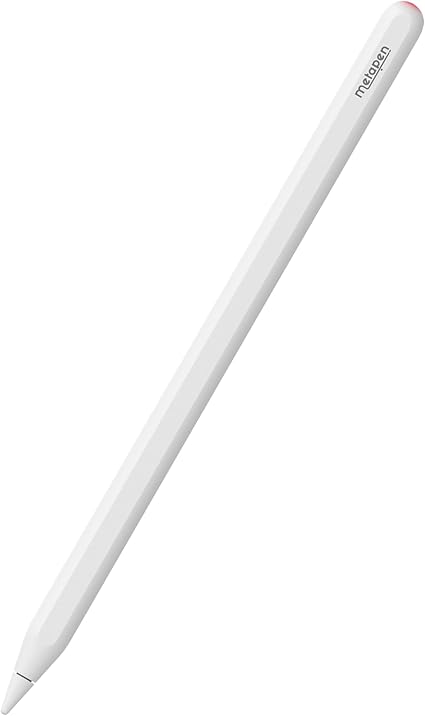
 Metapen
Metapen A14
Best affordable stylus for students and casual digital note-takers.

Unlock your creativity with the Metapen A14 iPad Pencil, designed for precision and reliability. This stylus offers exceptional 0.1mm accuracy, quick responsiveness, and full palm rejection for an immersive, lag-free experience. Charging is effortless via wireless magnetic attachment to your iPad. Multitasking is streamlined with hotkey shortcuts for accessing the home screen or app switcher with a simple tap. It is an excellent tool for students, beginners in digital art, and professionals needing to sign documents. Monitor power levels instantly using the iPad's Batteries Widget. Note that pressure sensitivity is not included but can be imitated in compatible apps.
$19.99
Owner Satisfaction
4.6
/ 5
Category Rank
4
/ 228
#4 in Digital Note Taking Pens
Price vs Category Average
-73%
Below average
Connectivity
Bluetooth
/ Bluetooth
Who it's for
- Budget-conscious students needing reliable iPad note-taking tools
- Minimalists who value convenient magnetic charging and storage
- Casual note-takers wanting a smooth, lag-free writing experience
Who should skip it
- Professional digital artists requiring precise line weight control
- Power users who rely on quick-switch gesture shortcuts
- Heavy writers concerned about long-term maintenance and tip replacement
Performance breakdown
Input Precision
The 0.1mm accuracy ensures clean lines for detailed note-taking tasks.
Charging Convenience
Wireless magnetic attachment makes powering up effortless and cable-free.
Palm Rejection
Reliable palm rejection allows for a natural, comfortable writing posture.
Navigation Efficiency
Integrated hotkeys provide quick access to essential iPad interface functions.
Artistic Versatility
Lacks native pressure sensitivity, limiting its utility for professional digital illustration.
System Integration
Seamless Bluetooth pairing and widget support keep battery levels clearly visible.
Key Specs
Connectivity
Bluetooth
Charging Method
Wireless Magnetic Charge
Compatibility
iPad devices running iOS 12.2 or above
Buttons
1 button with Home/App Switcher functions
Active Stylus
Yes
Tilt Support
Yes
Pressure Sensitivity Levels
0
Tip Material
Plastic
Features
- 0.1mm precision for detailed work
- Full palm rejection without lag
- Wireless magnetic charging capability
- Instant battery percentage via Widget
- Convenient hotkey shortcuts for navigation
- Seamless Bluetooth pairing
- Quick responsiveness for fluid use
What customers say
Customers overwhelmingly praise the Metapen A14 for delivering exceptional value as a budget friendly stylus. The core themes are reliability and ease of use. Users highlight its instant plug and play connectivity and superior battery life, which lasts for days. The magnetic attachment adds great convenience. Palm rejection ensures a comfortable, natural writing experience for note taking and annotation. While it lacks pressure sensitivity, this is not an issue for most students and casual users. The build quality feels premium, far exceeding expectations for the price. For those prioritizing dependable functionality and excellent value over advanced artistic features, the A14 is celebrated as a top tier, highly recommended accessory.
Know before you buy
No, the A14 does not have built-in pressure sensitivity. However, you can still achieve varying line weights in many drawing apps by adjusting the brush settings or using the pen's tilt support.
The A14 supports wireless magnetic charging. Simply attach the pen to the side of your compatible iPad, and it will begin charging automatically.
The Metapen A14 is compatible with any iPad model running iOS 12.2 or later. It is designed to work seamlessly with iPads that support magnetic attachment and wireless charging.
Yes, the A14 features full palm rejection technology. This allows you to rest your hand naturally on the iPad screen while writing or drawing without creating stray marks.
The single button on the A14 acts as a convenient shortcut for navigation. You can use it to quickly return to the home screen or open the app switcher, streamlining your workflow.
You can monitor the battery status in real-time by adding the Batteries Widget to your iPad's home screen. This ensures you always know when it is time to attach the pen for a charge.

Still have a question?
Ask Hayley anything about this product before you decide.