

 Elgato
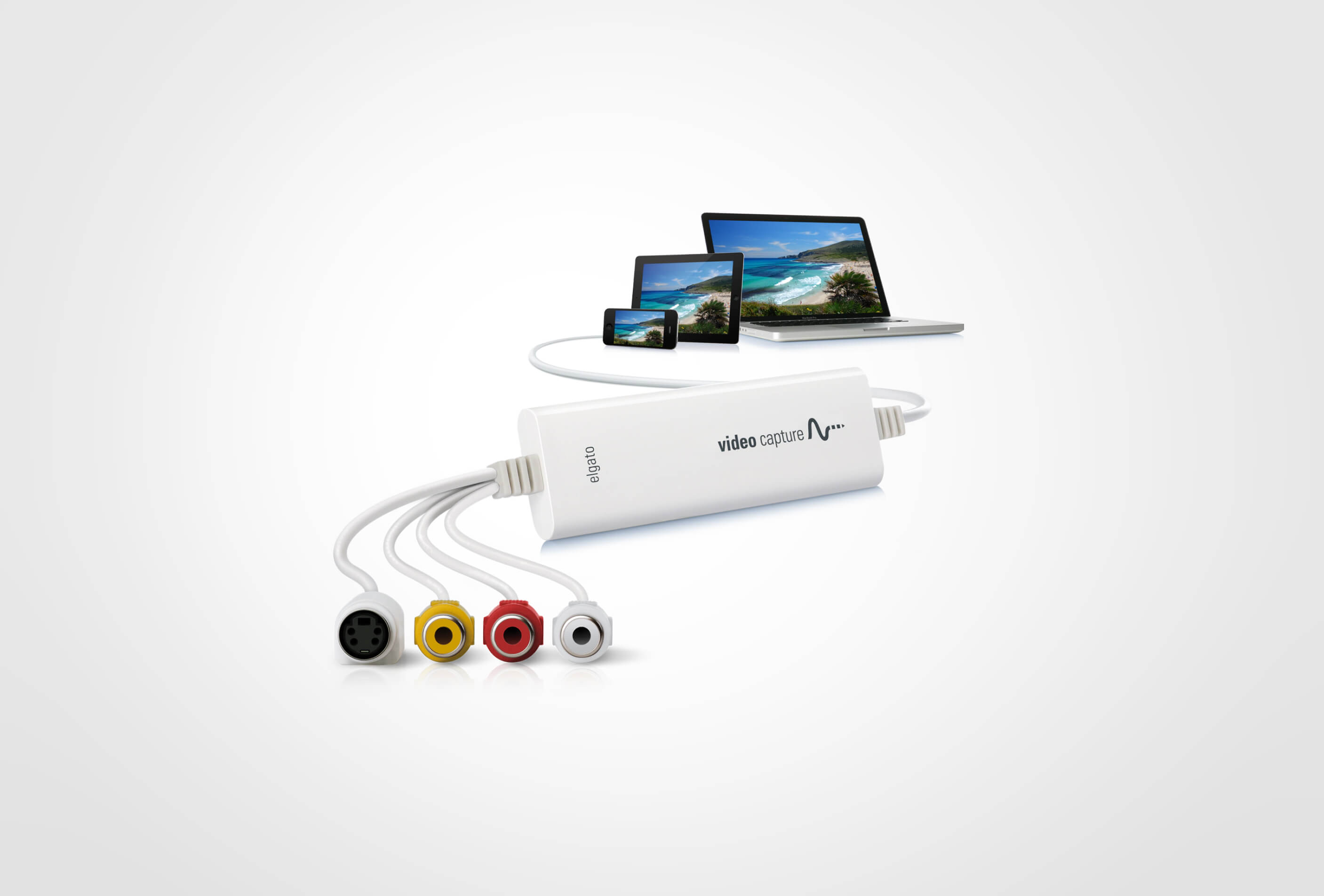
Elgato Video Capture
Best digitizer for preserving vintage home movies on modern computers.

Preserve your analog video memories by digitizing them with the Elgato Video Capture device. This hardware solution connects to your VCR or camcorder, allowing you to transfer footage to your Mac or Windows computer. It supports Composite and S-Video inputs, ensuring broad device compatibility and global video format support including NTSC, SECAM, and PAL. The included software guides you through capturing high-quality H.264 files, perfect for archiving, uploading to YouTube, or editing with popular software like iMovie.
$89.99
Owner Satisfaction
4.6
/ 5
Category Rank
64
/ 235
#64 in Video Editing Hardware & Production Equipment
Price vs Category Average
-94%
Below average
Input Types
Composite Video and S-Video
/ Composite Video and S-Video
Who it's for
- Novice archivists needing a simple, guided digitization process
- Multi-platform users working across both Mac and Windows environments
- Content creators wanting quick exports for social media platforms
Who should skip it
- Videophiles requiring high-definition resolution for their analog archives
- Budget-conscious buyers seeking the most affordable digitizing solution
- Collectors needing component video support for higher-quality signal input
Performance breakdown
Setup Simplicity
Guided software makes digitizing legacy media accessible for non-technical users.
Format Versatility
Broad support for global standards ensures compatibility with almost any analog source.
Input Connectivity
Standard Composite and S-Video ports cover the vast majority of vintage hardware.
Output Quality
H.264 encoding provides a clean balance between file size and visual fidelity.
Software Integration
Seamless handoffs to iMovie and YouTube streamline the post-capture workflow.
Hardware Reliability
A robust, no-nonsense design built for long-term archival projects.
Key Specs
Input Types
Composite Video and S-Video
Video Format Support
NTSC, SECAM, PAL, and PAL/60
Output Format
High Quality H.264 File
Compatibility
Mac and Windows operating systems
Included Accessories
Composite-to-SCART adapter, Composite Video/RCA Stereo Cable
Features
- Digitize analog video to H.264 files
- Supports Composite and S-Video inputs
- Guides users through the capture process
- One-click integration with media libraries
- Direct uploading to YouTube
- Seamless editing with iMovie/Windows Live
- Worldwide video format compatibility
- Includes all necessary cables and adapter
What customers say
Users consistently highlight the Elgato Video Capture's outstanding reliability and ease of use for digitizing analog video. Setup is remarkably straightforward, allowing users to begin capturing footage from older devices within minutes. The intuitive software works smoothly on both Mac and PC, creating high quality archival files. Reviewers appreciate its stable performance, avoiding the driver problems found in less expensive options. Although the price is sometimes mentioned as a consideration, the superior stability and dependable operation are widely seen as justifying the investment for preserving precious memories. It is considered the top choice for reliable analog capture.
Know before you buy
You can connect any device with a Composite (RCA) or S-Video output, such as VCRs, camcorders, DVD players, or gaming consoles. The device includes the necessary cables and a SCART adapter to ensure compatibility with most legacy hardware.
Yes, the Elgato Video Capture is fully compatible with both macOS and Windows operating systems. It uses dedicated software to guide you through the digitizing process on either platform.
The device captures your footage directly into high-quality H.264 files. This format is widely supported, making it easy to import your videos into editing programs like iMovie or Windows Live Movie Maker for further refinement.
Yes, the device supports worldwide video formats including NTSC, SECAM, PAL, and PAL/60. This ensures you can digitize tapes regardless of the region they were recorded in.
The included software is designed to be user-friendly, featuring a step-by-step assistant that walks you through every stage of the capture process. It also offers one-click integration to add your files to your media library or upload them directly to YouTube.

Still have a question?
Ask Hayley anything about this product before you decide.