

 Netgear
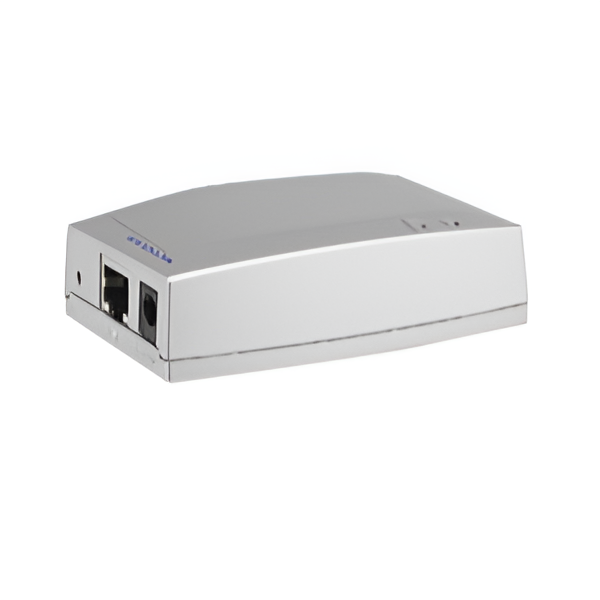
Netgear PS121 1-Port USB Mini Print Server

The NETGEAR PS121 USB 2.0 Mini Print Server offers a compact and efficient way to share a USB printer across your network. It provides high-speed USB 2.0 connectivity, allowing multiple users to access the printer with ease. Its small footprint makes it flexible for placement in various office or home environments. This print server ensures secure transactions for your printing needs. While currently unavailable, it represents a straightforward solution for enabling network printing for your USB printers, backed by NETGEAR's reliability.
$53.00
Owner Satisfaction
2.9
/ 5
Category Rank
64
/ 71
#64 in Print Servers
Price vs Category Average
-70%
Below average
Printer Interface Type
2.0
/ USB
Who it's for
- Enables Legacy Printer Sharing
- Compact and Discreet Design
- Cost-Effective Solution
Who should skip it
- Complex Setup and Configuration
- Limited AiO Functionality Support
- Potential Performance Bottleneck
Key Specs
Printer Interface Type
USB 2.0
Number of Printer Ports
1
USB Host Ports
1
Product Type
Print Server
Security Features
Secure transaction
Features
- Share USB printers easily over your network
- High-speed USB 2.0 connectivity
- Compact and flexible mini design
- Secure printing transactions
- Simple network printer sharing
- Supports multiple users
What customers say
This print server elicits strong reactions, primarily centered on its challenging setup and compatibility. When successfully integrated, users value its compact size and low power use, appreciating its core function: reliably sharing one USB printer across a small network without needing a host computer. However, the installation process is frequently described as frustrating and non-intuitive. Significant issues arise with modern operating systems like current Windows and macOS versions, often requiring extensive driver searches. Furthermore, users note its limitation to basic printing, lacking support for multifunction features like scanning. While it offers a cost-effective solution for simple printing once configured, the steep learning curve and compatibility risks make it best suited for technically proficient users.

Still have a question?
Ask Hayley anything about this product before you decide.