

 Crucial
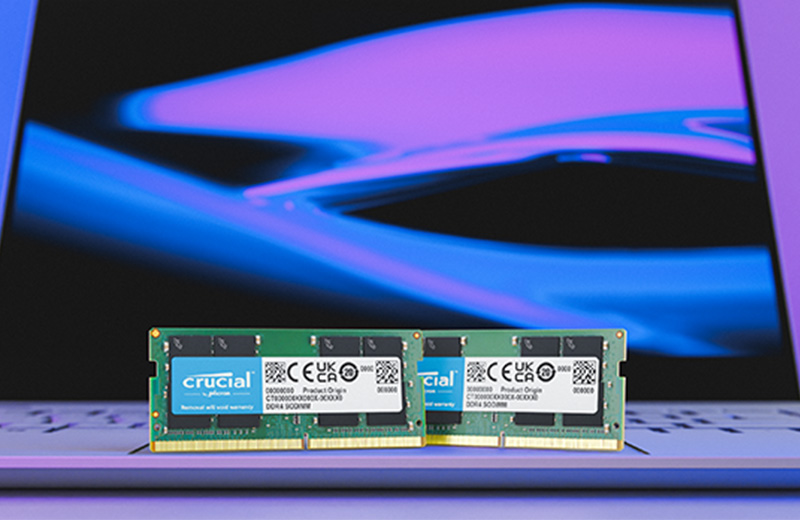
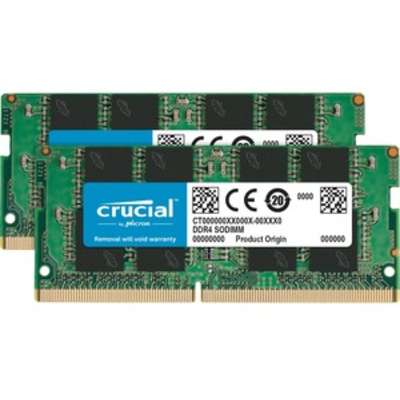
Crucial DDR4-3200 SO-DIMM Kit
Best memory upgrade for laptop users seeking faster multitasking and performance.

Boost your laptop's performance with this Crucial 32GB DDR4 memory kit. Designed for laptops, it features two 16GB modules that operate at 3200MHz with a CAS Latency of 22. This upgrade enhances system responsiveness, speeds up application loading, and improves multitasking capabilities. Installation is simple, offering a cost-effective way to extend your laptop's life and boost its overall performance without needing to buy a new device. Experience a significant performance uplift with high-quality memory directly from the manufacturer.
$299.99
Owner Satisfaction
4.6
/ 5
Category Rank
734
/ 3233
#734 in RAM
Price vs Category Average
-41%
Below average
Memory Type
4
/ DDR
Who it's for
- Laptop owners needing guaranteed stability and broad system compatibility
- Multitaskers seeking a quick boost in general system responsiveness
- Novice upgraders wanting a simple, hassle-free installation process
Who should skip it
- Power users demanding the lowest possible latency for peak performance
- Performance enthusiasts looking to push hardware limits through manual overclocking
- System builders prioritizing a clean, stylish look for visible components
Performance breakdown
Multitasking Capacity
Thirty-two gigabytes provides ample headroom for demanding professional workflows and browser tabs.
System Responsiveness
The 3200MHz frequency significantly reduces lag during daily computing tasks.
Installation Simplicity
Standard SO-DIMM form factor makes upgrading your laptop a straightforward process.
Latency Efficiency
CAS latency of 22 is standard, balancing stability with reliable data throughput.
Power Efficiency
Operating at 1.2 volts keeps thermal output low for mobile battery longevity.
Compatibility Range
Broad support for most DDR4-based laptops ensures a hassle-free hardware upgrade.
Key Specs
Memory Type
DDR4
Capacity
32GB (2 x 16GB)
Speed
PC4-25600
Speed (MHz)
3200 MHz
Channels
Dual Channel
Pin Configuration
260-pin
ECC Support
No
Voltage
1.20 Volts
Features
- Loads apps and programs faster
- Increases system responsiveness
- Supports smoother multitasking
- Reduces application loading times
- Easy installation with simple tools
- Cost-effective performance upgrade
- High-quality memory from manufacturer
- Enhances laptop lifespan
What customers say
Customers overwhelmingly praise the Crucial DDR4 memory for its exceptional ease of installation and immediate performance gains. The plug and play compatibility across various laptops and small PCs is a significant advantage noted frequently in reviews. Users highlight the memory's reliability, confirming it consistently operates at its advertised 3200MHz speed without system instability. This upgrade delivers a transformative improvement in multitasking and demanding applications. Furthermore, the excellent value proposition makes this memory a highly cost effective solution for system enhancement. The overall sentiment confirms this product reliably delivers a straightforward and impactful upgrade experience.
Know before you buy
This kit is designed for laptops that support DDR4 SO-DIMM memory. Before purchasing, verify that your laptop has two available memory slots and that your processor or motherboard supports 3200MHz speeds.
While it is technically possible, it is generally recommended to use matching modules to ensure system stability. For the best performance, replace your existing RAM with this kit rather than mixing it with different brands or speeds.
The 3200MHz speed refers to the data transfer rate of the memory. A higher frequency allows your processor to access data more quickly, which translates to faster application loading and a more responsive feel when multitasking.
This kit is standard DDR4 SO-DIMM memory. Compatibility depends entirely on your specific MacBook model, as many newer MacBooks use soldered memory that cannot be upgraded. Always check your specific model's service manual before attempting an upgrade.
In most cases, the system will automatically detect the new memory and configure it to the correct speed. If your laptop does not boot at the maximum speed, you may need to enter the BIOS to ensure the XMP or memory profile is set correctly.
No, this memory operates at a standard 1.20 volts and is designed to run efficiently without a heat spreader. It is perfectly suited for the compact, enclosed environment of a standard laptop.

Still have a question?
Ask Hayley anything about this product before you decide.