

 ATEN
ATEN
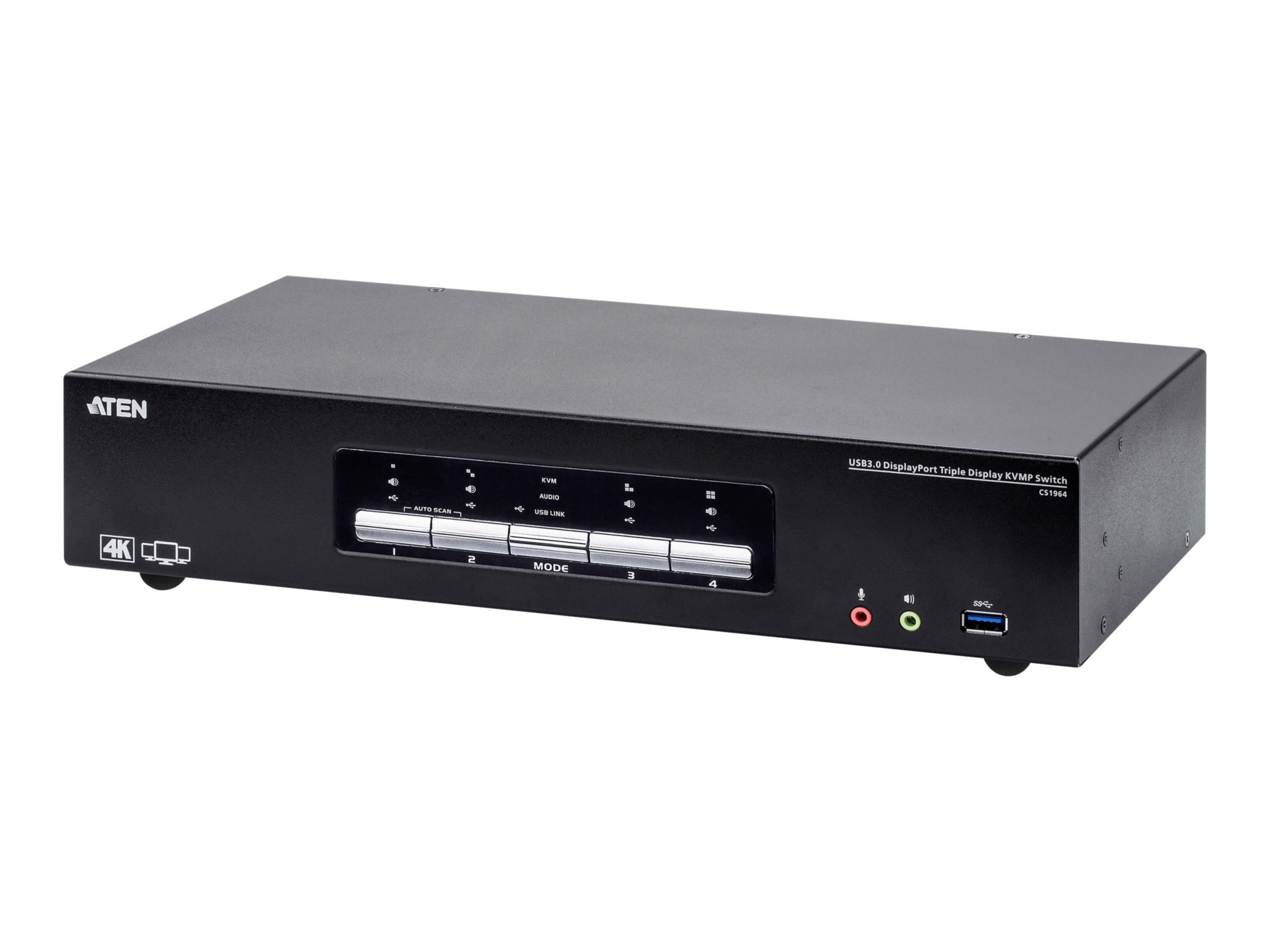
4-Port USB 3.0 DisplayPort Triple Display KVM Switch

Elevate your productivity with the ATEN CS1964, a 4-Port DisplayPort Triple Display KVMP Switch designed for demanding professional environments. Seamlessly control up to four computers, each capable of driving three independent 4K displays, from a single console. This high-performance switch features an integrated USB 3.1 Gen 1 hub for rapid peripheral sharing and ATEN's Video DynaSync technology for smooth visual transitions. Offering flexible control options including hotkeys, pushbuttons, and RS-232 commands, it's the ultimate solution for efficient multitasking and streamlined workflows.
$822.34
Owner Satisfaction
3.6
/ 5
Category Rank
1311
/ 1363
#1311 in KVM Switches
Price vs Category Average
-24%
Below average
Maximum Video Resolution
4096216060
/ x @ Hz
Who it's for
- Maximized Productivity via Triple Display
- High-Speed Peripheral Sharing
- Superior Digital Video Quality
Who should skip it
- High Cost and Setup Complexity
- Potential for EDID/Handshake Issues
- Significant Cable Management Burden
Key Specs
Maximum Video Resolution
4096 x 2160 @ 60 Hz
Number of Computers Supported
4
Number of Displays Supported per Computer
3
Total DisplayPort Connections
15
Total USB Ports
8 (USB 3.1 Gen 1 capable)
USB Peripheral Port Types
USB 3.0 Type-A, USB 3.1
Audio Interface Type
3.5mm Jack
Video Interface Types
HDMI, DisplayPort
Features
- Control four computers with triple 4K monitor support.
- Features ATEN Video DynaSync technology for display optimization.
- Integrated USB 3.1 Gen 1 hub for 5 Gb/s peripheral sharing.
- Supports daisy-chaining up to two units for six displays.
- Flexible port selection via hotkeys, buttons, or RS-232.
- Includes dedicated audio in/out ports on front and rear.
- Supports N-key Rollover for accurate simultaneous keystrokes.
- Wired external KVM switch for robust connectivity.
What customers say
Users highly value the ATEN KVM Switch for its ambitious feature set, especially supporting triple DisplayPort monitors and shared USB 3.0 peripherals across four computers. When functioning perfectly, it significantly boosts productivity and streamlines workspaces, thanks to its robust build quality. However, a consistent concern involves reliability. Several users report difficulties with display detection, signal loss, and intermittent USB peripheral recognition, particularly with specific graphics cards or high refresh rates. While the setup can be complex, those whose systems align perfectly find this KVM indispensable. Others note that functional hiccups diminish the perceived value given the premium cost, suggesting potential buyers should anticipate troubleshooting for optimal performance.

Still have a question?
Ask Hayley anything about this product before you decide.