

 Wacom
Wacom
Wacom Link Plus

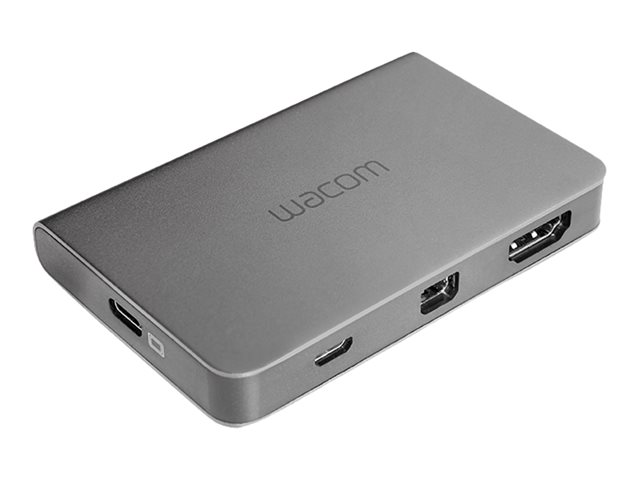
Unlock the full potential of your Wacom Cintiq Pro 13 or 16 with the Wacom Link Plus adapter. This versatile hub connects your creative pen display to your Mac or PC, offering flexible high-resolution options. Achieve up to 4K UHD resolution using USB-C alone, or combine Mini DisplayPort and USB-A. For QHD resolution, connect via HDMI and USB-A. The Link Plus also simplifies your setup with a convenient one-cable solution, integrating your Cintiq Pro's power cable for a cleaner workspace.
$69.95
Owner Satisfaction
3.3
/ 5
Category Rank
1134
/ 1154
#1134 in Computer Interface Cards & Adapters
Price vs Category Average
-88%
Below average
Model Number
42819
/ ACK
Who it's for
- Essential Desktop Mode Enabler
- Flexible Video Output
- Non-Thunderbolt Compatibility
Who should skip it
- High Price Point
- Cluttered Cable Setup
- Resolution and Refresh Rate Limits
Key Specs
Model Number
ACK42819
Resolution Support
Up to 3840 x 2160 (UHD) or 2650 x 1440 (QHD)
Compatibility
Wacom Cintiq Pro 13, 16
Interface (Bus) Type
USB-C
Connectivity Ports Output
Mini DisplayPort, USB-A, USB-C
System Requirements
Windows 7 or later, macOS X 10.11 or later
Device Type
Network media streaming adapter
Power Source
USB Powered
Features
- Connects Cintiq Pro 13/16 to Mac or PC
- Supports up to 4K UHD resolution
- QHD resolution via HDMI connection
- Streamlined one-cable solution
- Compatible with USB-C, Mini DisplayPort, HDMI
- Enhances creative workflow
- Reliable wired connectivity
What customers say
User sentiment centers on the Wacom Link Plus being a necessary but costly bridge for MobileStudio Pro and Cintiq Pro users connecting to desktops. When operational, it unlocks essential workflow flexibility, validating the investment in high-end displays by enabling full pen input functionality externally. However, satisfaction is frequently tempered by the high price point, which many feel is excessive for an accessory. Recurring complaints also focus on reliability, citing intermittent disconnections and flickering displays. Users often report needing specific setups or troubleshooting to maintain stable connections, suggesting that while vital for certain workflows, the device presents both a significant cost and technical hurdle.

Still have a question?
Ask Hayley anything about this product before you decide.
Ready to buy?
$70