

 Logitech
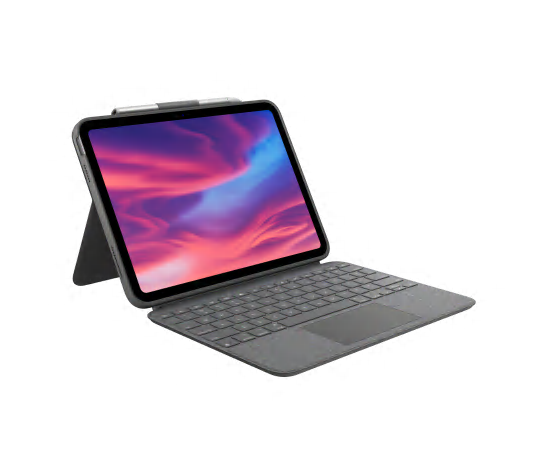
Logitech Combo Touch for iPad Pro

Transform your iPad Pro into a versatile laptop with the Logitech Combo Touch. This keyboard case offers four distinct modes: Type, View, Sketch, and Read, adapting to your every need. Enjoy comfortable typing on backlit, well-spaced keys and navigate with precision using the large multi-touch trackpad. Power and connectivity are seamless via the Smart Connector, eliminating the need for separate charging. The Combo Touch provides robust front, back, and corner protection, ensuring your iPad Pro stays safe and stylish. It also features integrated storage for your Apple Pencil or Logitech Crayon.
$189.99
Owner Satisfaction
4.4
/ 5
Category Rank
2328
/ 3654
#2328 in Keyboards
Price vs Category Average
+36%
Above average
Compatibility
12.95613.4
/ " iPad Pro (th & th Gen), iPadOS or later
Who it's for
- Superior Typing and Backlighting
- Smart Connector Reliability
- Precision Trackpad Integration
Who should skip it
- Significant Bulk and Weight
- High Premium Price
- Limited Lap Usability
Key Specs
Compatibility
12.9" iPad Pro (5th & 6th Gen), iPadOS 13.4 or later
Connection Type
Apple Smart Connector
Dimensions
11.24 x 8.89 x 0.69 inches
Weight
20.25 oz / 574 g
Material
Plastic parts include certified post-consumer recycled plastic
Keyboard Key Travel
0.04 in (1mm)
Kickstand Tilt Range
50 degrees
Color
Oxford Gray
Features
- Four versatile modes: Type, View, Sketch, Read
- Detachable keyboard for flexible use
- Multi-touch trackpad for intuitive control
- Auto-adjusting backlit keys for any lighting
- Power and data via Smart Connector
- Integrated storage for Apple Pencil/Logitech Crayon
- Full front, back, and corner protection
- Dedicated iPadOS shortcut keys
What customers say
Customers overwhelmingly praise the Logitech Combo Touch for transforming the iPad Pro into a highly productive device. The typing experience is a dominant highlight, featuring comfortable, responsive, backlit keys often compared favorably to dedicated laptop keyboards. The large, precise trackpad significantly enhances iPadOS navigation and workflow. Users also value the robust protection and versatility offered by the adjustable kickstand and detachable design. A key convenience is the Smart Connector, eliminating pairing and charging needs. The main drawback noted is the added bulk and weight, which impacts portability. While a substantial investment, this accessory is celebrated for balancing superior functionality and protection, though users must accept the trade-off in device size.

Still have a question?
Ask Hayley anything about this product before you decide.