

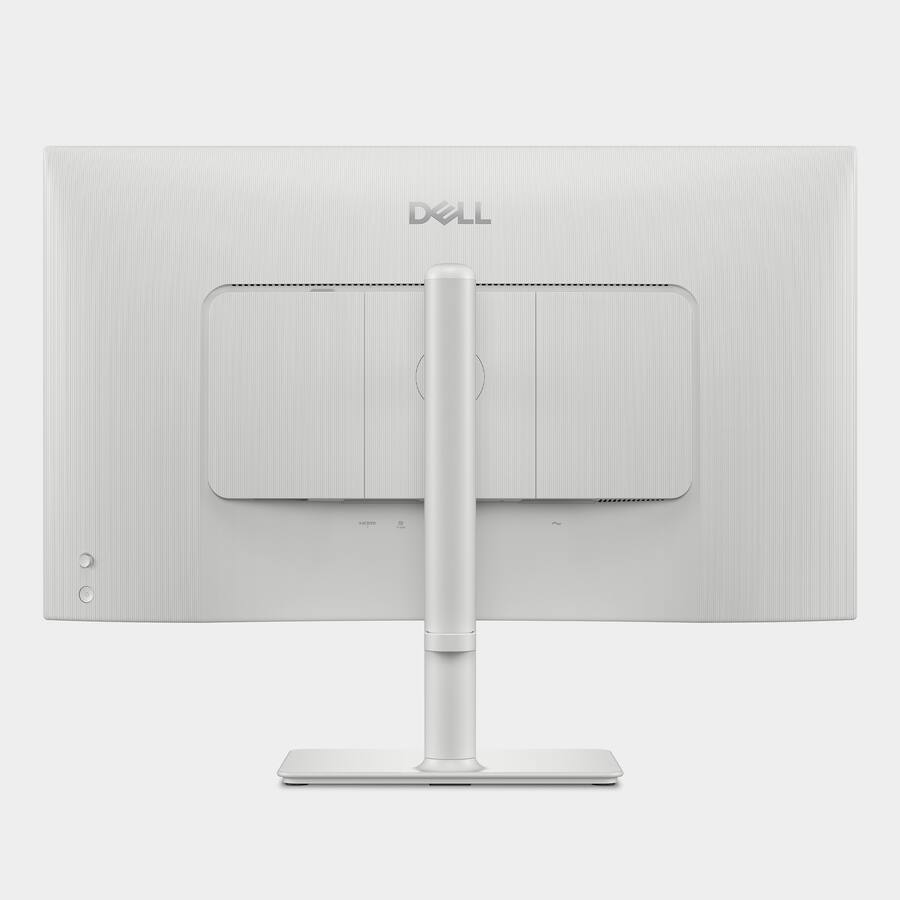
Dell S2725QC 27" IPS LED 4K UHD 120Hz FreeSync Premium Monitor
Best 4K monitor for creative professionals and casual gamers.

Immerse yourself in stunning visuals with the Dell S2725QC monitor. This 27-inch display boasts a crisp 4K UHD resolution and an IPS LED panel for vibrant color accuracy. Experience incredibly fluid motion with a 120Hz refresh rate, enhanced by AMD FreeSync Premium for tear-free visuals. Versatile connectivity options, including USB-C and HDMI, make integration seamless. Its modern Ash White design adds a touch of elegance to any workspace, blending high performance with sophisticated aesthetics.
$299.99
Owner Satisfaction
4.6
/ 5
Category Rank
174
/ 3515
#174 in Computer Monitors
Price vs Category Average
-53%
Below average
Screen Size
27
/ inches
Who it's for
- Creative professionals needing sharp detail for precision work
- Casual gamers and multitaskers wanting fluid motion
- Designers requiring consistent color accuracy and wide viewing angles
Who should skip it
- Competitive esports players demanding ultra-high refresh rates
- Users relying on legacy software with poor scaling support
- Movie enthusiasts who prefer deep blacks in dark rooms
Performance breakdown
Visual Clarity
The 4K resolution delivers razor-sharp text and incredibly detailed imagery.
Motion Fluidity
The 120Hz refresh rate provides a noticeably smoother desktop experience.
Color Accuracy
IPS panel technology ensures consistent, vibrant colors from every viewing angle.
Gaming Performance
FreeSync Premium eliminates screen tearing for a seamless, responsive gaming session.
Connectivity Versatility
USB-C integration simplifies cable management for a clean, modern workspace.
Design Aesthetic
The Ash White finish offers a sophisticated alternative to standard monitors.
Key Specs
Screen Size
27 inches
Maximum Resolution
3840 x 2160 (4K UHD)
Refresh Rate
120Hz
Panel Type
IPS LED
Response Time
8 milliseconds
Synchronization Technology
FreeSync Premium (AMD Adaptive Sync)
Connectivity
USB-C, 2x HDMI Inputs
Display Type
LED
Features
- Fluid 120Hz motion for smooth visuals
- Tear-free experience with FreeSync Premium
- Vibrant colors from IPS panel technology
- Sharp 4K UHD resolution for detail
- Modern Ash White aesthetic design
- Versatile USB-C and HDMI connectivity
What customers say
This Dell monitor earns high praise for its exceptional value, successfully blending productivity and casual gaming. Users consistently highlight the stunning visual clarity from the 4K UHD resolution paired with the smooth 120Hz refresh rate, which greatly improves general desktop comfort. The IPS panel delivers vibrant colors and wide viewing angles, appealing to creative users. A key driver of satisfaction is the robust USB-C connectivity, enabling a clean, single cable setup for power and video. While not a dedicated gaming screen, the inclusion of FreeSync Premium is appreciated for moderate gaming. Overall, the combination of premium features like 4K, 120Hz, and excellent connectivity positions this display as a top choice for modern hybrid workspaces.
Know before you buy
Yes, the 120Hz refresh rate works with both platforms, provided your device supports the output via HDMI or USB-C. It is particularly effective for smoother motion in fast-paced games.
Yes, the USB-C connectivity allows for both data transmission and power delivery, helping you keep your workspace clean by reducing the number of cables needed for your laptop.
The IPS panel technology provides excellent color accuracy and wide viewing angles, making it a strong choice for creative work that requires precise color representation.
While FreeSync Premium is optimized for AMD hardware, many modern NVIDIA cards are compatible with adaptive sync monitors. However, you may need to enable G-Sync Compatible mode in your NVIDIA control panel settings.
An 8ms response time is sufficient for casual and immersive gaming. While competitive esports players often prefer lower response times, this monitor prioritizes visual clarity and color quality over raw speed.
The Ash White finish is durable, but like any light-colored tech, it can show dust or smudges more easily than black monitors. A simple wipe with a soft, dry microfiber cloth is usually enough to keep it looking pristine.

Still have a question?
Ask Hayley anything about this product before you decide.