

 j5create
j5create JCD543 USB-C Triple Display Docking Station

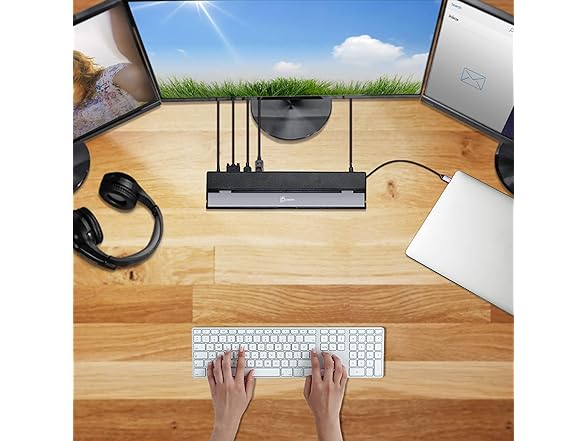
Elevate your workspace with the j5create USB-C Docking Station, designed to transform your laptop into a powerful command center. This versatile hub offers extensive connectivity, including multiple USB ports, Gigabit Ethernet, and convenient card readers. Expand your visual real estate with support for up to three external displays. Enjoy efficient laptop charging with high-wattage Power Delivery, all housed within a slim, advanced design that complements any setup. It's compatible with major operating systems and requires a USB-C 3.1 5Gbps port with Display Alt-mode and Power Delivery.
$109.99
Owner Satisfaction
4.0
/ 5
Category Rank
687
/ 824
#687 in Laptop Docking Stations
Price vs Category Average
-47%
Below average
Who it's for
- Extensive Display Support
- High Power Delivery (100W)
- Comprehensive Port Selection
Who should skip it
- DisplayLink Driver Dependency
- USB-C Bandwidth Limitation
- Potential for Overheating
Key Specs
Supports up to 3 displays
Video Output Ports
DisplayPort, 2x HDMI, VGA
3 x USB-A 5Gbps ports
1 x USB-C 5Gbps port
1Gbps Ethernet port
SD and MicroSD card reader slots
Combo audio jack
100W Power Delivery via USB-C
Features
- Expand to three external displays
- Connect multiple USB devices
- Fast Gigabit Ethernet connection
- Integrated SD and microSD card readers
- Powerful 100W USB-C Power Delivery
- Slim and efficient design
- Universal OS compatibility
- Convenient audio combo jack
What customers say
Customers highly value this docking station for its powerful capability to drive three external displays simultaneously, transforming laptops into robust workstations. The extensive port selection, including Gigabit Ethernet and various USB connections, significantly boosts functionality and perceived value. However, satisfaction is often tempered by complexity. A notable group of users reports intermittent stability issues, such as flickering or connection drops, primarily linked to DisplayLink driver management. While the device delivers on its promise of extensive screen real estate, successful deployment requires careful attention to driver updates and compatibility troubleshooting. It is a feature rich tool, but users should anticipate occasional technical hurdles inherent to advanced USB C docking.

Still have a question?
Ask Hayley anything about this product before you decide.