

 Logitech
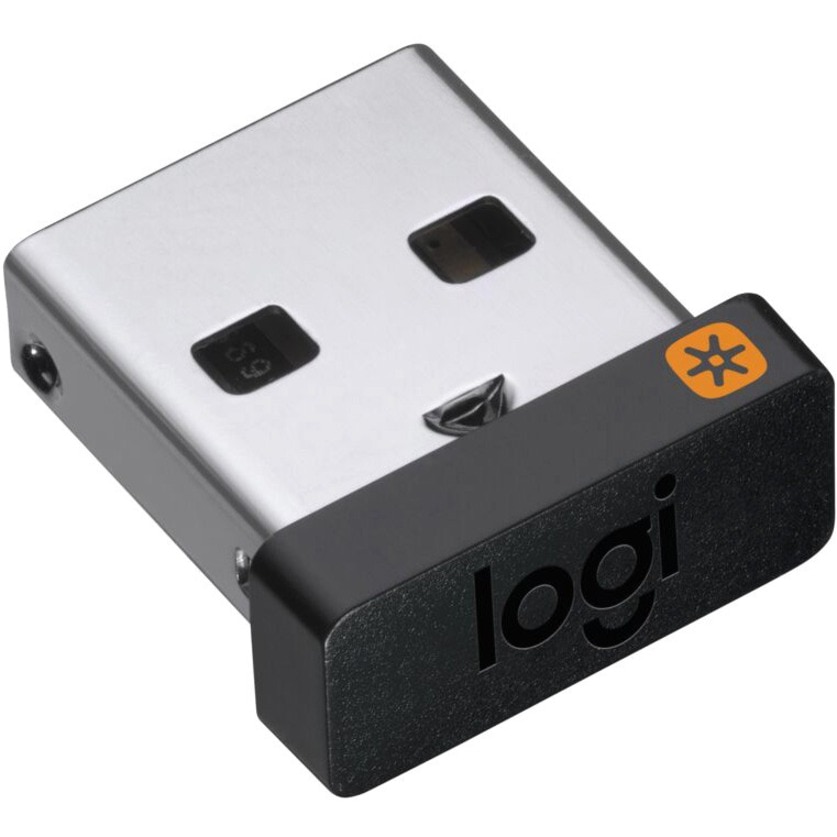
Logitech Unifying Receiver
Best solution for users needing to connect multiple wireless peripherals efficiently.

Simplify your wireless setup with the Logitech Unifying Receiver. This compact USB device connects multiple Logitech Unifying wireless mice and keyboards to a single computer, reducing clutter and streamlining your workspace. Its tiny, leave-in design makes it perfect for laptops, ensuring your peripherals are always ready. Enjoy a stable and responsive connection with advanced 2.4 GHz wireless technology, offering a reliable link up to 33 feet away. It's an ideal solution for replacing a lost receiver or expanding your device connectivity.
$14.95
Owner Satisfaction
4.7
/ 5
Category Rank
5
/ 743
#5 in USB Adapters
Price vs Category Average
-70%
Below average
Dimensions
1596
/ mm (H) x mm (W) x mm (D)
Who it's for
- Laptop users needing to save limited USB ports
- Commuters wanting a permanent, low-profile connection solution
- Non-technical users seeking a quick, reliable peripheral setup
Who should skip it
- Users with mixed-brand or older Logitech hardware setups
- Security-conscious users wary of manual firmware maintenance
- Competitive gamers requiring zero-latency input performance
Performance breakdown
Multi-device capacity
Linking six peripherals to one port effectively eliminates USB port congestion.
Portability
The ultra-compact design allows it to stay plugged in during travel.
Connection stability
Advanced 2.4 GHz technology maintains a consistent, lag-free signal for peripherals.
Setup simplicity
Plug and play functionality makes connecting new devices effortless and intuitive.
Range performance
Reliable connectivity holds strong across standard office or home workspace distances.
Compatibility breadth
Broad support across modern Windows and macOS systems ensures seamless integration.
Key Specs
Dimensions
15 mm (H) x 9 mm (W) x 6 mm (D)
Weight
1.23 g
Compatibility
Windows 10, 11 or later, macOS 10.10 or later
Connectivity
Logitech Advanced 2.4 GHz Wireless Technology
Warranty
1-Year Limited Hardware Warranty
Wireless technology
2.4GHz
Range
Up to 33 feet
Connects up to six devices per receiver
Features
- Connect up to 6 devices to one receiver
- Tiny, leave-in receiver for portability
- Reliable, lag-free wireless connection
- Ideal replacement or expansion option
- Declutter your workspace
- Plug and Play setup
- Compact and portable design
- Extended wireless range
What customers say
Customers overwhelmingly value the Logitech Unifying Receiver for its exceptional utility and reliability in managing multiple devices. Its core strength is the ability to connect up to six compatible Logitech mice and keyboards using one compact USB dongle. This significantly reduces desktop clutter and frees up essential ports. Users appreciate the seamless, set it and forget it functionality, which ensures quick and stable wireless connections. The receiver is considered an indispensable accessory for enhancing productivity within the Logitech ecosystem. While minor confusion sometimes arises regarding compatibility with newer standards, the consensus confirms this hardware delivers substantial value through convenience and consistent performance.
Know before you buy
Look for the orange 'Unifying' logo—a star-shaped icon—on your Logitech device. If your mouse or keyboard features this logo, it is compatible with the Unifying Receiver.
Yes, you can pair up to six compatible Logitech Unifying mice and keyboards to a single receiver. This helps free up USB ports on your computer.
Not at all. The receiver is plug-and-play, but you will need to download the Logitech Unifying Software to pair your specific devices to the new receiver for the first time.
Yes, it is compatible with Windows 10 or later and macOS 10.10 or later. It functions as a standard USB-A device on both operating systems.
Yes, its compact, low-profile design is specifically engineered to be left in a USB port. It is small enough that you generally do not need to remove it when sliding your laptop into a bag.
No, the Unifying Receiver is not compatible with Logitech Bolt devices. Bolt devices require the newer Logi Bolt USB receiver, which uses a different security protocol.

Still have a question?
Ask Hayley anything about this product before you decide.