

 Logitech
Lift for Mac Vertical Ergonomic Mouse
Best ergonomic mouse for Mac users with small to medium hands.

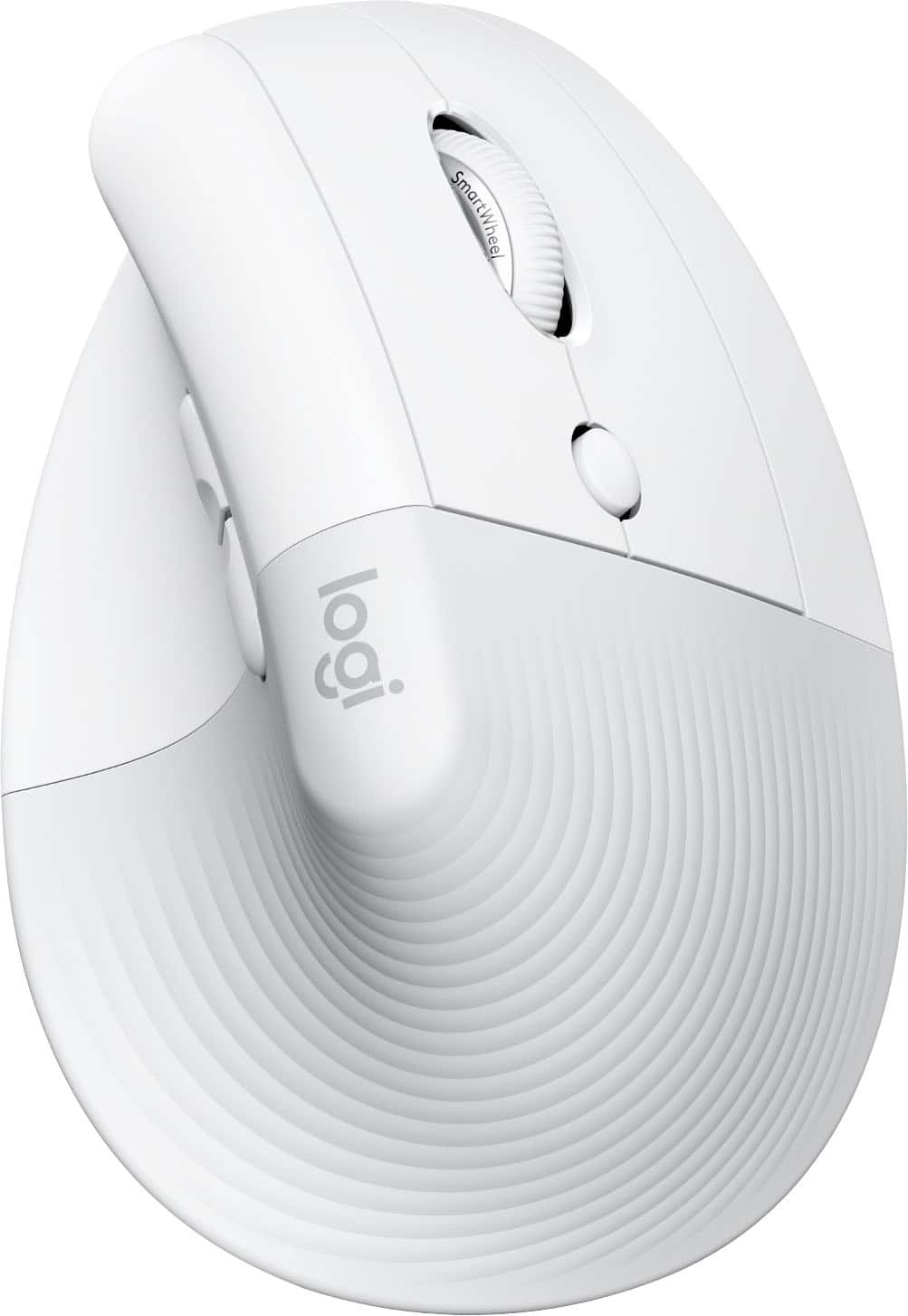
Experience all-day comfort with the Logitech Lift for Mac Vertical Ergonomic Mouse, designed specifically for Mac users. Its unique 57° vertical angle promotes a natural handshake posture, reducing wrist pressure and improving upper body alignment. Ideal for small to medium hands, this mouse is crafted with recycled plastic, reflecting a commitment to sustainability. Enjoy a seamless wireless connection and intuitive control for enhanced productivity and general use.
$76.49
Owner Satisfaction
4.6
/ 5
Category Rank
61
/ 1705
#61 in Mice & Trackballs
Price vs Category Average
+12%
Above average
Compatibility
Mac
/ Mac
Who it's for
- Office workers prone to wrist strain and fatigue
- Professionals working in shared or quiet office environments
- Apple users seeking seamless ecosystem integration and customization
Who should skip it
- Traditional mouse users unwilling to learn new ergonomics
- People with larger hands needing a more spacious grip
- Users who prefer rechargeable batteries over disposable ones
Performance breakdown
Ergonomic Alignment
The 57-degree angle effectively neutralizes wrist strain during long work sessions.
Mac Integration
Seamless Bluetooth pairing ensures a reliable, lag-free experience for Apple ecosystems.
Form Factor Suitability
Perfectly scaled for small to medium hands, offering superior control and reach.
Sustainability Impact
Thoughtful use of recycled plastics reduces the environmental footprint of daily hardware.
Productivity Workflow
Intuitive button placement keeps essential shortcuts within easy reach for efficiency.
Power Efficiency
Battery-powered design offers long-lasting reliability without the need for frequent charging.
Key Specs
Compatibility
Mac
Design Type
Vertical Mouse
Ergonomic Design
Yes
Material Note
Made with recycled plastic
Carbon Footprint
3.07 kg CO2e
Hand Orientation
Right-handed
Connection Type
Wireless
Connectivity Interface
Bluetooth
Features
- Natural handshake posture with 57° angle
- Reduces wrist pressure and strain
- Promotes natural arm and upper body posture
- Designed for small to medium hands
- Constructed with recycled plastic
- Optimized for Mac compatibility
- Wireless connectivity for freedom of movement
What customers say
Customer sentiment strongly favors the Logitech Lift for Mac due to its superior ergonomic design and comfort. The 57-degree vertical angle creates a natural handshake posture, effectively relieving wrist strain for many users. It is especially appreciated by those needing a more compact vertical mouse option than bulkier alternatives. Positive feedback highlights the quiet SilentTouch clicks and precise SmartWheel scrolling. Mac users value the seamless Bluetooth connection and aesthetic fit. While the price is premium, reviewers agree the significant improvement in comfort and long-term wrist health justifies the investment, making it a highly recommended productivity tool.
Know before you buy
The Lift for Mac is specifically sculpted for small to medium-sized hands. If you have larger hands, you may find the mouse feels too compact and less supportive for long-term use.
The 57° angle places your hand in a 'natural handshake' position. This alignment reduces pressure on your wrist and encourages a more relaxed posture for your forearm and upper body compared to a traditional flat mouse.
While it is optimized for the Mac ecosystem, the Lift for Mac will technically connect to Windows devices via Bluetooth. However, some Mac-specific software features or customization options may not be fully supported on non-Apple operating systems.
This mouse is powered by a single AA disposable battery. It is designed for power efficiency, so you won't need to replace it frequently during standard daily use.
No, the Lift for Mac is designed exclusively for right-handed users. The ergonomic contour and button placement are specifically mapped to the shape of the right hand.
The mouse connects wirelessly via Bluetooth. Simply pair it through your Mac's Bluetooth settings menu to begin using it immediately.

Still have a question?
Ask Hayley anything about this product before you decide.