

 SilverStone
SilverStone ECM23 M.2 PCIe Adapter Card
Best storage upgrade for gamers and professionals needing faster drive speeds.

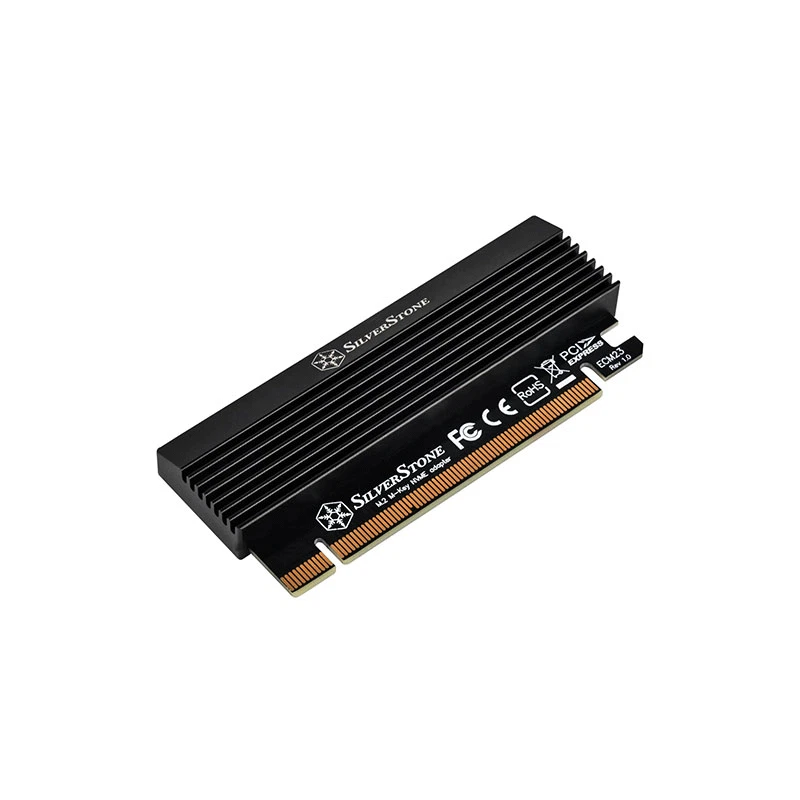
The SilverStone ECM23 is an adapter card engineered to integrate high-speed M.2 NVMe SSDs directly into a desktop system via an available PCIe slot. It offers broad compatibility by supporting various M.2 SSD sizes up to 2280mm. Crucially, this card includes an integrated aluminum heatsink paired with a thermal pad to efficiently manage heat, preventing performance degradation from thermal throttling during intensive tasks. Setup is designed to be simple and driverless, providing a plug-and-play solution for users looking to significantly boost their system's storage speed and capacity for demanding applications like professional editing or gaming.
$79.68
Owner Satisfaction
4.6
/ 5
Category Rank
110
/ 1154
#110 in Computer Interface Cards & Adapters
Price vs Category Average
-86%
Below average
Adapter Type
.2316
/ M NVMe SSD to PCIe Gen x Adapter Card
Who it's for
- Users repurposing various M.2 drives for system upgrades
- Builders assembling compact small form factor desktop systems
- Power users maximizing NVMe drive speed and throughput
Who should skip it
- Owners of motherboards with limited or crowded PCIe slots
- Editors or gamers pushing drives through heavy sustained workloads
- Minimalists wanting to avoid extra internal cable management
Performance breakdown
Thermal Management
Integrated heatsink effectively prevents performance-sapping thermal throttling during heavy workloads.
Installation Simplicity
Driverless plug-and-play design makes storage upgrades accessible for any skill level.
Form Factor Versatility
Broad support for multiple M.2 lengths ensures compatibility with most drives.
Data Throughput
PCIe x4 interface delivers high-speed performance for demanding professional applications.
Build Quality
Robust aluminum construction provides a premium feel and reliable heat dissipation.
System Integration
Seamlessly bridges modern NVMe storage with older desktop motherboard architectures.
Key Specs
Adapter Type
M.2 NVMe SSD to PCIe Gen 3 x16 Adapter Card
Supported M.2 SSD Sizes
2230, 2242, 2260, and 2280mm (M Key)
Host Interface
PCIe Gen 3 x16 slot (operates via PCIe x4 interface)
Cooling Solution
Integrated aluminum heatsink with thermal pad
Driver Requirement
None (Plug and Play)
Compatibility
M.2 SSDs of lengths 2230, 2242, 2260, and 2280 (M Key)
Features
- Connects high-speed M.2 NVMe SSDs via PCIe
- Prevents thermal throttling for sustained performance
- Supports multiple M.2 SSD lengths
- Ideal for gaming and professional upgrades
- Driverless, plug-and-play setup
- Integrated cooling hardware included
What customers say
Users consistently praise the SilverStone ECM23 for its exceptional ease of use. Installation is straightforward, often described as plug and play, simplifying system upgrades to NVMe speeds. Reviewers frequently highlight the card's reliable performance, noting stable speeds without overheating issues, which reflects its quality design. This adapter offers a dependable and efficient solution for maximizing storage potential, providing excellent value for anyone needing quick M.2 expansion.
Know before you buy
The ECM23 is specifically designed for M.2 NVMe SSDs with an M Key interface. It supports common drive lengths including 2230, 2242, 2260, and 2280mm.
No, the card is completely driverless. It is a plug-and-play device, so your operating system should recognize the SSD automatically once it is installed in your PCIe slot.
Yes, the integrated aluminum heatsink and thermal pad are essential for preventing thermal throttling. By dissipating heat effectively, the card ensures your SSD maintains high speeds during heavy workloads like video editing or gaming.
You should install the card into an available PCIe Gen 3 x16 slot. While it fits into the physical x16 slot, it operates using a PCIe x4 interface, which provides plenty of bandwidth for high-speed NVMe performance.
Whether you can boot from an M.2 drive via a PCIe adapter depends on your motherboard's BIOS/UEFI support. Please check your motherboard manual to ensure it supports booting from PCIe-connected NVMe storage.

Still have a question?
Ask Hayley anything about this product before you decide.