

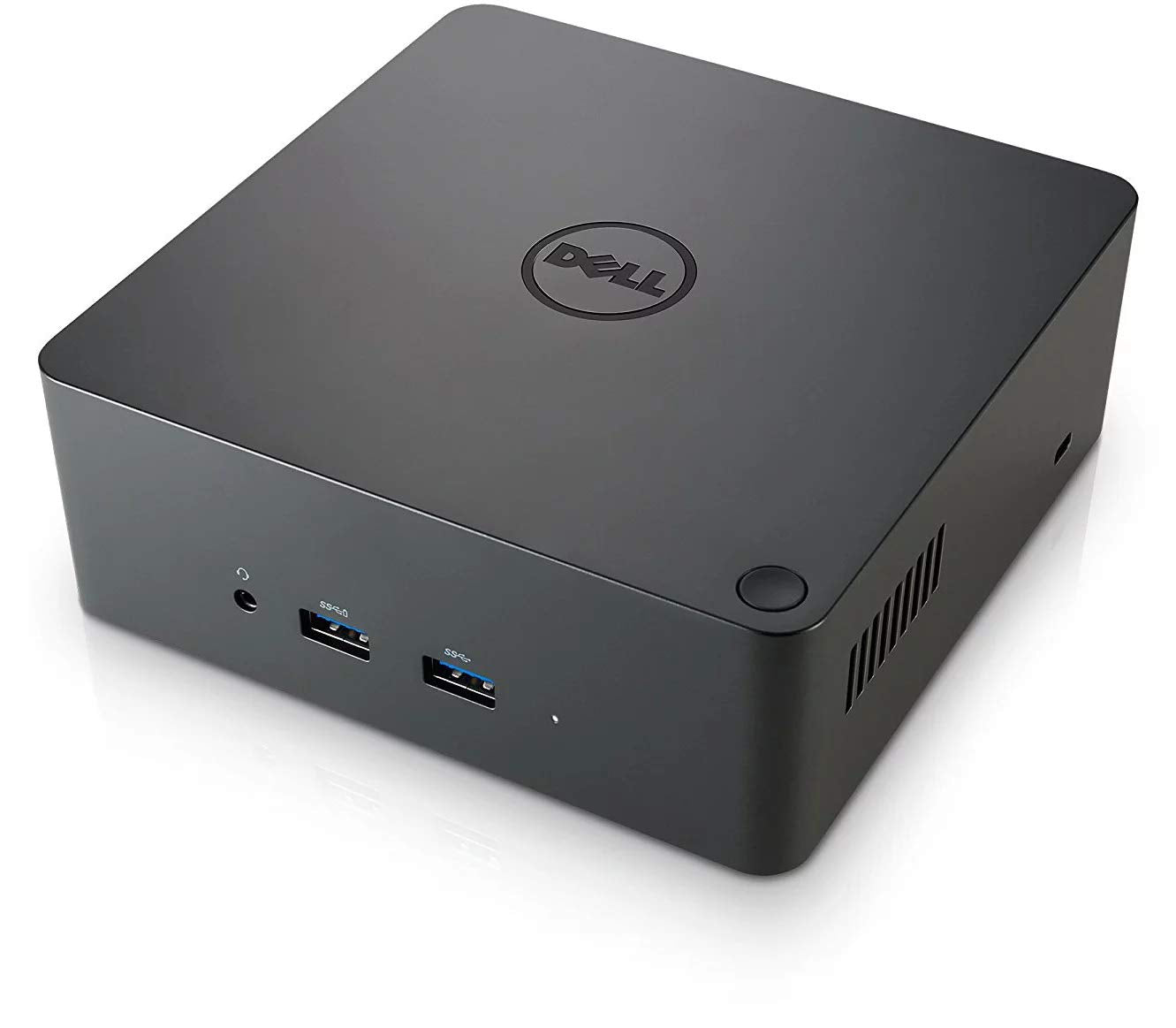
Dell TB16 Thunderbolt 3 Docking Station

Streamline your workspace with the Dell TB16 Thunderbolt 3 Docking Station. This powerful hub connects your Thunderbolt 3-enabled notebook via a single USB Type-C cable, offering lightning-fast data transfers up to 40 Gbps and robust power delivery. Expand your capabilities by connecting multiple displays, including support for up to three FHD, two 4K, or one 5K monitor. It also provides ample ports for all your essential peripherals, making it an ideal solution for enhanced productivity and a clutter-free environment.
$108.75
Owner Satisfaction
2.1
/ 5
Category Rank
856
/ 858
#856 in Laptop Docking Stations
Price vs Category Average
-48%
Below average
Host Connection Type
3
/ Thunderbolt
Who it's for
- Comprehensive Port Selection
- High-Speed Power Delivery
- Robust 4K Display Support
Who should skip it
- Stability and Firmware Dependency
- Significant Heat Generation
- Short, Fixed Host Cable
Key Specs
Host Connection Type
Thunderbolt 3
Number of Display Outputs
4
Max Resolution Supported
5K
Power Delivery Wattage
180W
USB-A Port Type
USB 3.1 Gen 1
Video Output Port Type
HDMI, DisplayPort, VGA, Mini DisplayPort
Ethernet Port Speed
Gigabit Ethernet
Max Data Transfer Speed
40 Gbps
Features
- Connect and power with a single Thunderbolt 3 cable
- Experience blazing-fast data transfers up to 40 Gbps
- Support for multiple high-resolution displays
- Deliver up to 180W of power to your notebook
- Integrated Gigabit Ethernet for reliable wired networking
- Expand connectivity with multiple USB ports
- Compact design for a cleaner desk setup
- Includes a Kensington lock slot for security
What customers say
While the convenience of single cable docking is appreciated, the Dell TB16 often falls short on reliability. Users frequently encounter connectivity drops, inconsistent monitor detection, and unstable power. This lack of dependable operation can disrupt workflows, making the dock more of a hassle than a help. The core issue appears to be stability, which significantly impacts the overall user experience and productivity. Many find the dock introduces complexity instead of the intended ease of use, making it a considerable drawback.
Know before you buy
No, this dock specifically requires a Thunderbolt 3 enabled USB-C port to function correctly. Please verify that your laptop supports Thunderbolt 3 before purchasing, as standard USB-C ports will not provide the necessary bandwidth for display and data features.
Yes, the TB16 supports up to three FHD displays at once. If you are looking for higher resolutions, it can support two 4K displays or one 5K display at 60Hz.
Yes, the TB16 provides power delivery through the same single cable used for data. With 180W of power, it is capable of charging compatible Dell Latitude and XPS notebooks while they are connected.
The dock is compatible with Windows 10, 8.1, 8, 7, and Ubuntu 14.04. Ensure your system drivers and BIOS are updated to the latest versions to ensure stable connectivity.
The dock features five USB ports, allowing you to connect a variety of peripherals like keyboards, mice, and external drives. It also includes an Ethernet port for wired network speeds up to 1 Gbps.
With a footprint of 145 x 145 mm, the TB16 is designed to be space-efficient. It helps declutter your workspace by consolidating all your connections into a single cable, leaving more room for your essential work tools.

Still have a question?
Ask Hayley anything about this product before you decide.