

 Wacom
Wacom
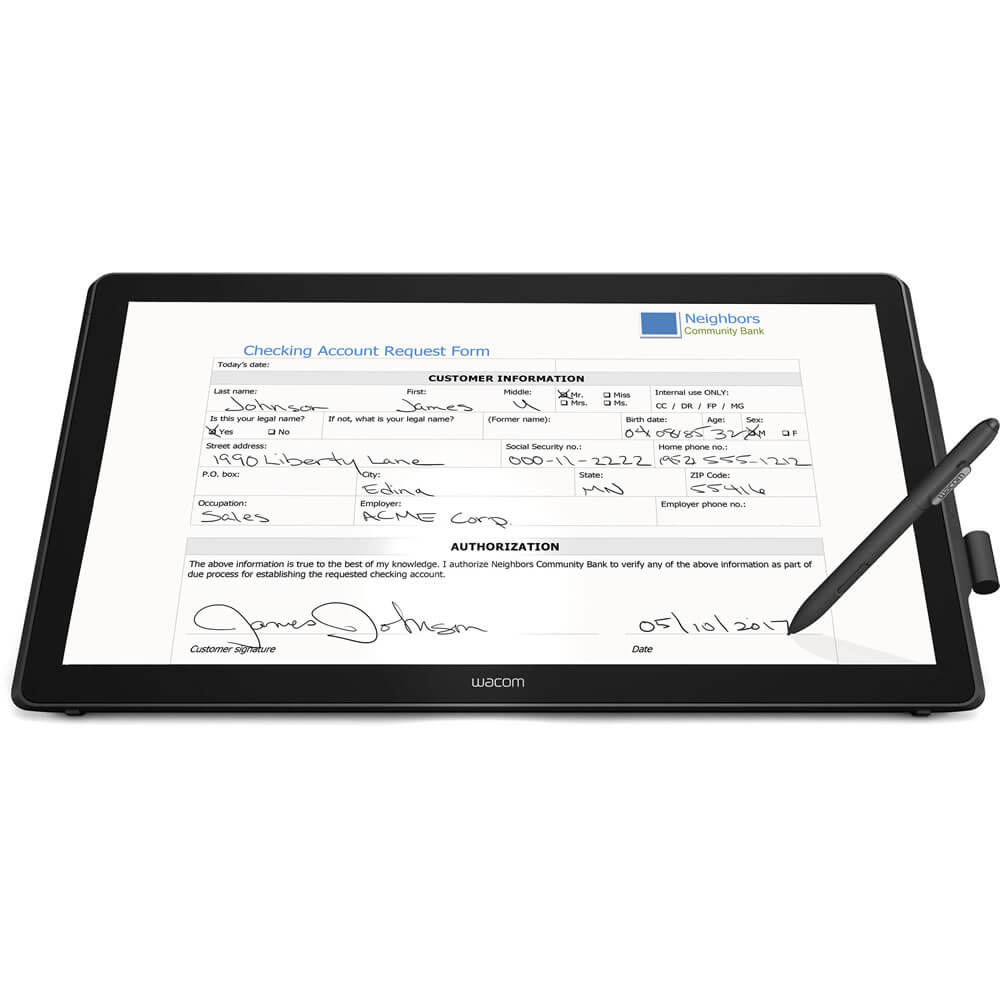
Wacom DTK2451 Interactive Pen Signature Tablet
Best interactive display for professional document signing and digital annotation.

The Wacom DTK-2451 is a Full-HD Pen Display designed for professional signing, annotation, and presentation control. Its expansive 23.8-inch active area offers ample space for detailed work, while 2048 pen pressure levels ensure accurate capture of subtle writing and drawing nuances. Navigate intuitively with multi-touch support, and enhance workflow efficiency using four customizable ExpressKeys. The integrated adjustable stand provides ergonomic flexibility for extended use. This versatile pen display is ideal for various business applications requiring precise digital interaction.
$1549.00
Owner Satisfaction
4.6
/ 5
Category Rank
1
/ 125
Best Graphics Tablets
Price vs Category Average
+196%
Above average
Active Area
23.8
/ inches
Who it's for
- Professionals reviewing lengthy legal documents or complex forms
- High-traffic businesses requiring reliable, long-term hardware performance
- Security-conscious organizations handling sensitive digital signatures
Who should skip it
- Small businesses operating on a limited hardware budget
- Users with limited desk space or mobile work requirements
- IT teams preferring plug-and-play simplicity over complex software integration
Performance breakdown
Screen Real Estate
The expansive 23.8-inch display provides a massive, comfortable canvas for workflows.
Input Precision
2048 pressure levels handle standard signing and annotation tasks with ease.
Workflow Efficiency
Customizable ExpressKeys significantly streamline repetitive business and signing tasks.
Ergonomic Flexibility
The integrated adjustable stand ensures comfortable viewing angles for extended sessions.
Navigation Intuition
Multi-touch support makes interacting with digital documents feel natural and fluid.
Connectivity Versatility
Legacy DVI-I support offers reliable compatibility for diverse enterprise hardware setups.
Key Specs
Active Area
23.8 inches
Screen Size
23.8 inches
Pen Pressure Sensitivity
2048 levels
Multi-touch Support
Yes
Video Input
DVI-I (analog and digital)
Data Interface
USB 2.0
Operating Systems
Windows and macOS
Tablet Type
Pen Display
Features
- Large 23.8-inch display for comfortable workspace.
- 2048 pen pressure levels for precise input.
- Intuitive multi-touch navigation.
- Four customizable ExpressKeys for efficiency.
- Adjustable stand for ergonomic angles.
- Biometric signature capturing for security.
- Supports analog and digital video connections.
What customers say
The Wacom DTK2451 earns high marks for its exceptional reliability and seamless integration into professional workflows. Users frequently highlight the ease of setup, noting that the tablet connects quickly and maintains stable driver performance, which is crucial for high volume signature capture. This dependable operation, coupled with clear display quality, confirms its status as a robust tool that delivers consistent results, making it a worthwhile investment for businesses prioritizing uptime.
Know before you buy
While it is optimized for professional signing and document annotation, its 2048 pressure levels and large screen make it capable of basic sketching and design work. However, if you are a professional digital artist, you may prefer Wacom’s Cintiq Pro line, which offers higher pressure sensitivity and color accuracy.
Yes, the multi-touch functionality is supported on both Windows and macOS. It allows you to navigate documents, zoom, and scroll intuitively just as you would on a trackpad or tablet.
The DTK-2451 uses a DVI-I connection, which supports both analog and digital signals. If your computer only has HDMI or DisplayPort, you will need a standard DVI-I adapter to establish a connection.
Yes, the four ExpressKeys are fully customizable. You can assign them to your most frequently used commands or tools to streamline your specific workflow, whether you are signing documents or navigating presentations.
Yes, the stand is included and is designed to provide ergonomic support for extended use. It allows you to adjust the tilt of the display to a comfortable angle for writing or viewing, reducing strain during long sessions.
Because of its large 23.8-inch display, this unit requires an external power supply. The USB connection is used strictly for data transfer and pen input functionality.

Still have a question?
Ask Hayley anything about this product before you decide.
Ready to buy?
$1549