

 Kensington
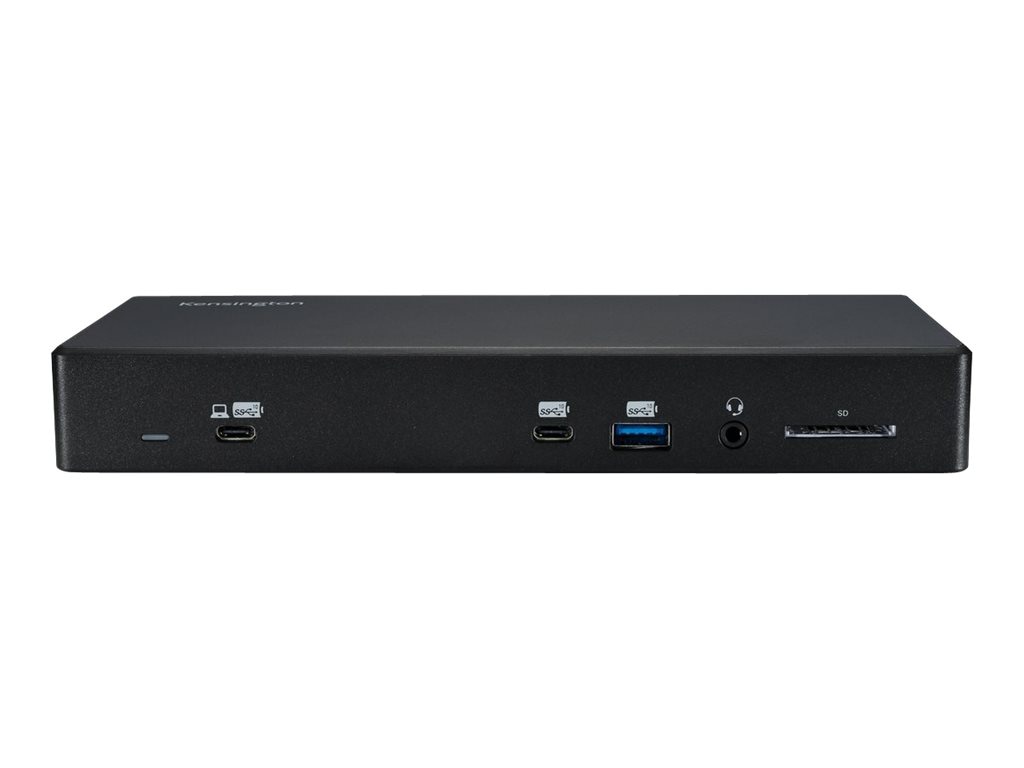
Kensington SD4855P Docking Station

The Kensington SD4855P is a driverless USB-C docking station designed for seamless connectivity and productivity. It offers up to 100W Power Delivery (PD 3.0) and 10Gbps data transfer speeds, eliminating the need for driver installations. This dock features a 13-in-1 design with six USB ports, including USB-C and USB-A 3.2 Gen2, a combo audio port, and a UHS II SD 4.0 memory card reader. It supports multiple video outputs, including two DisplayPort++ and one HDMI, enabling resolutions up to Dual 4K @ 60Hz. Universal compatibility with Windows laptops running Windows 7 and above ensures broad usability.
Owner Satisfaction
4.1
/ 5
Category Rank
581
/ 827
#581 in Laptop Docking Stations
Host Interface
USB Type C
/ USB Type C
Who it's for
- Streamlined Connectivity
- Enhanced Visual Workspace
- Versatile Port Expansion
Who should skip it
- Moderate Power Delivery
- Software Driver Requirement
- USB-C Host Dependency
Key Specs
Host Interface
USB Type C
Data Transfer Speed
10Gbps
Power Delivery
Up to 100W (PD 3.0)
Video Ports
2x DisplayPort++, 1x HDMI, 1x USB-C Alt Mode
Maximum Resolution
Single 4K @ 60Hz, Dual 4K @ 60Hz, Triple 1600x900 @ 60Hz (DP1.2/HBR2), Triple 4K @ 60Hz (DP1.4 HBR3)
USB Ports
1x USB-C 3.2 Gen2 (up to 5V/3A/10Gbps), 1x USB-A 3.2 Gen2 (up to 5V/2.4A/10Gbps), 4x USB-A 3.2 Gen1 (up to 5V/0.9A/5Gbps)
Audio Port
Combo audio port
Card Reader
UHS II SD 4.0 Memory Card Reader
Features
- Driverless USB-C connectivity for easy setup
- High-speed data transfer up to 10Gbps
- Powerful 100W Power Delivery for charging laptops
- Supports up to Triple 4K displays for enhanced multitasking
- Versatile port selection including USB-C, USB-A, DisplayPort, and HDMI
- Integrated UHS II SD 4.0 card reader for fast media transfer
- Gigabit Ethernet for reliable wired network connection
- Includes Kensington DockWorks™ software for advanced network management
What customers say
Customers generally appreciate the Kensington SD4855P Docking Station for its reliable performance and straightforward setup. Many users highlight its ease of use, noting that it seamlessly extends their workspace with multiple monitor support and various peripheral connections. While some mention occasional driver updates are needed, the overall consensus points to a dependable solution for expanding laptop connectivity, making it a valuable addition for productivity focused users. Its consistent functionality is a recurring positive.

Still have a question?
Ask Hayley anything about this product before you decide.