


 ViewSonic
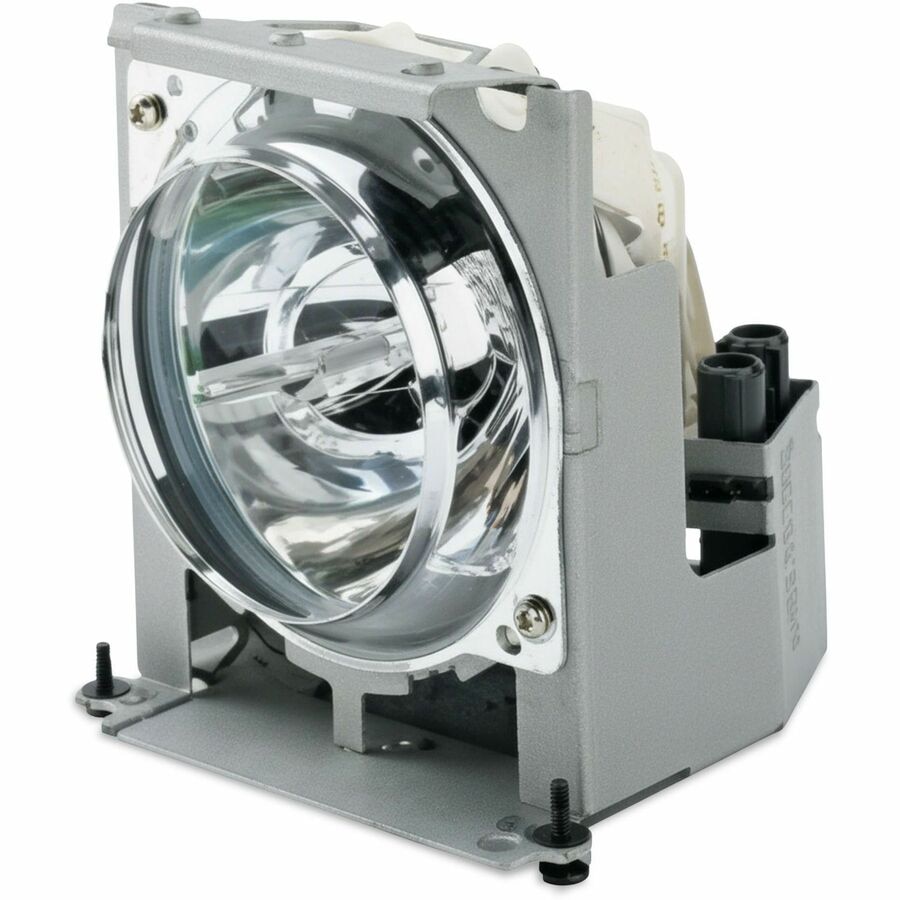
ViewSonic RLC-131 Projector Replacement Lamp
Best replacement lamp for restoring your projector's original visual performance.

This is a replacement lamp specifically designed for the ViewSonic PX700HDH projector. It ensures that your projector continues to deliver optimal performance and a high-quality viewing experience. As a direct replacement, installation is straightforward, allowing you to quickly get back to enjoying your presentations or entertainment. This lamp is essential for maintaining the longevity and visual output of your compatible ViewSonic projector, providing a reliable solution for your projection needs.
$265.99
Owner Satisfaction
4.4
/ 5
Category Rank
710
/ 3014
#710 in Projector Replacement Lamps
Price vs Category Average
+71%
Above average
Compatible with
700
/ ViewSonic PXHDH
Who it's for
- Users prioritizing original image quality and perfect hardware fit
- Owners seeking peace of mind with consistent, long-term reliability
- Customers wanting to protect their projector warranty and support access
Who should skip it
- Budget-conscious buyers looking for cheaper third-party alternatives
- Users needing immediate replacements for older, hard-to-source models
- People uncomfortable handling delicate electronics during DIY repairs
Performance breakdown
Installation Simplicity
Designed for a seamless, tool-free swap into the PX700HDH housing.
Brightness Consistency
Restores original lumen output for crisp, vibrant projection quality.
Compatibility Precision
Engineered specifically for the PX700HDH to ensure perfect fitment.
Lamp Longevity
Offers reliable operational hours comparable to the factory-original bulb.
Color Accuracy
Maintains the projector's intended color gamut and saturation levels.
Build Integrity
Robust housing construction prevents overheating and ensures safe operation.
Key Specs
Compatible with
ViewSonic PX700HDH
Type
Projector Lamp
Know before you buy
No, this specific lamp model is engineered exclusively for the ViewSonic PX700HDH. Using it in a different projector model may result in poor performance or damage to the unit.
Generally, you only need a standard Phillips-head screwdriver to open the lamp cover and loosen the mounting screws. Always ensure the projector is completely powered down and cooled off before attempting installation.
Common signs include a noticeable dimming of the image, flickering during playback, or a warning message appearing on your screen. If your projector suddenly shuts off or the lamp indicator light turns red, it is likely time for a replacement.
Yes, it is crucial to reset the lamp timer in your projector's menu settings after installation. This ensures the projector accurately tracks the usage hours of your new lamp and prevents premature warning alerts.
Avoid touching the glass bulb with your bare fingers, as the oils from your skin can create hot spots that may cause the lamp to shatter during operation. If you accidentally touch the glass, clean it gently with isopropyl alcohol and a lint-free cloth before installing.

Still have a question?
Ask Hayley anything about this product before you decide.