

 LG
LG
LG CreateBoard 55TR3DQ-B Collaboration Display

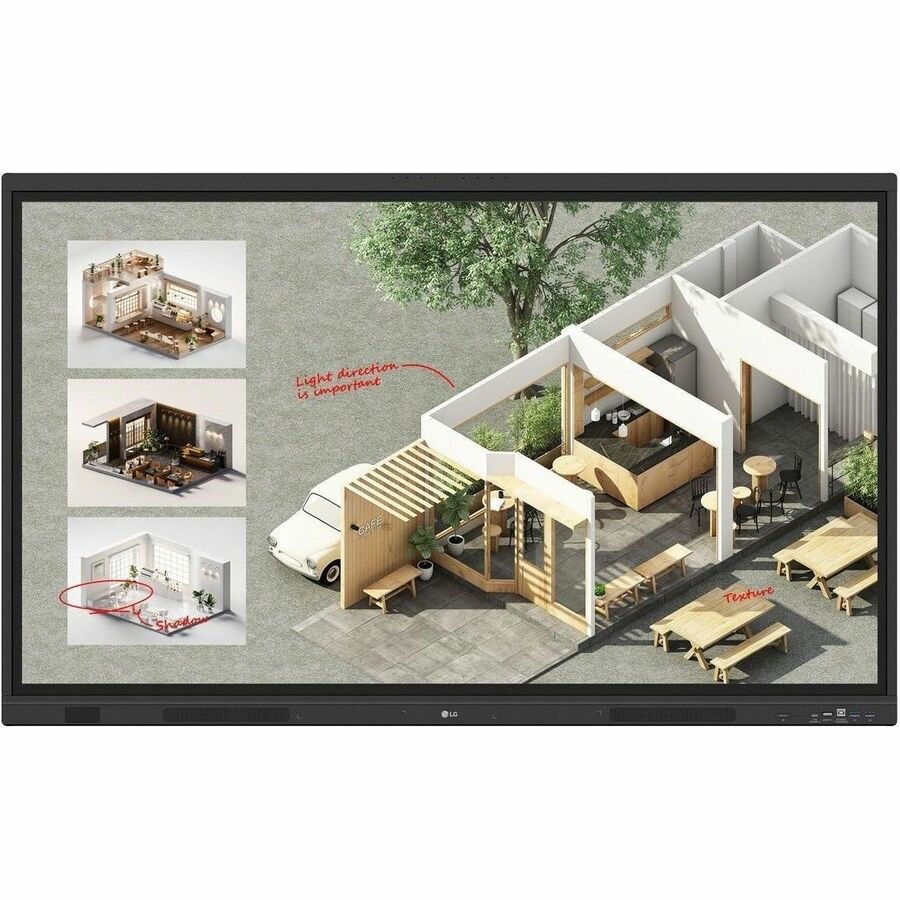
The LG CreateBoard 55TR3DQ-B is a 55-inch collaboration display designed for interactive presentations and creative projects. It offers a lifelike touch experience, allowing users to write, draw, zoom, and rotate content with their fingers. The display supports seamless screen and content sharing, making it ideal for remote collaboration. It includes various teaching templates, easy import/export features with cloud storage integration, and LG's proprietary whiteboarding software, CreateBoard Lab. Tools for fluid discussion and a built-in web browser enhance productivity during meetings. The wireless screen sharing feature allows multiple users to share their screens simultaneously, creating a flexible and efficient meeting environment.
$1733.00
Owner Satisfaction
4.5
/ 5
Category Rank
38
/ 175
#38 in Touch Table Computers
Price vs Category Average
-59%
Below average
Screen Size
55
/ inches
Who it's for
- Enhanced Interactive Collaboration
- Stunning 4K UHD Visuals
- Flexible Connectivity and Integration
Who should skip it
- Substantial Initial Investment
- Potential Learning Curve
- Limited Portability
Key Specs
Screen Size
55 inches
Display Type
LCD
Backlight
Direct LED
Resolution
3840 x 2160
Aspect Ratio
16:9
Contrast Ratio
5,000:1
Viewing Angle
178 degrees
Response Time
6.5 ms
Features
- Lifelike touch experience for writing, drawing, zooming, and rotating content.
- Seamless screen and content sharing for effective remote collaboration.
- Variety of educational templates, including ruler, table, and sticky notes.
- Easy import/export of resources to/from Google Drive or OneDrive.
- Direct email sharing of meeting materials and QR code transfer to personal devices.
- LG's proprietary whiteboarding software, CreateBoard Lab, with multi-OS support.
- Wireless screen sharing for up to 9 screens in real-time.
- Cable-free presentation control and flexibility within the meeting room.
What customers say
Customers generally appreciate the LG CreateBoard 55TR3DQ B for its intuitive user experience and robust display quality. Users frequently highlight the seamless touch responsiveness and clear visuals, making collaborative sessions more engaging and productive. The integrated software is often praised for its straightforward navigation, allowing teams to quickly adapt and utilize its features without a steep learning curve. This focus on user friendly design and reliable performance contributes significantly to its positive reception in professional environments.

Still have a question?
Ask Hayley anything about this product before you decide.