

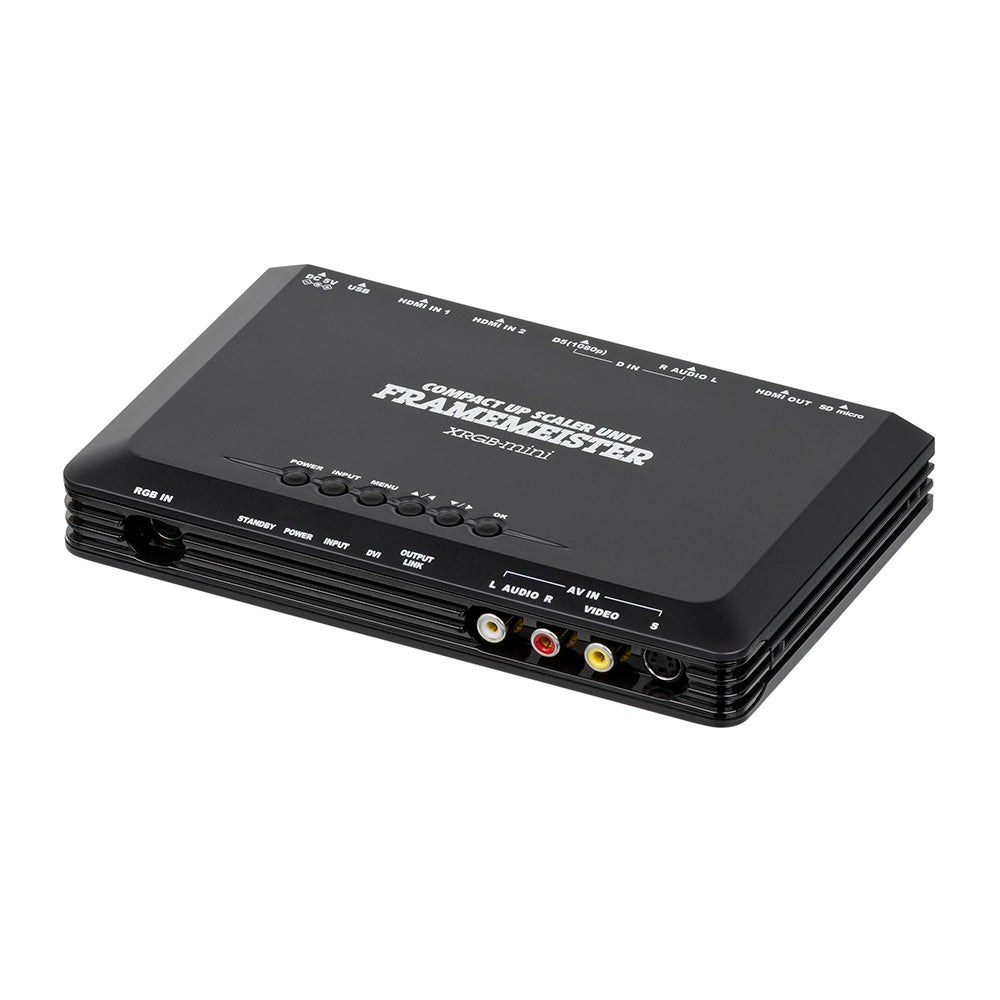
Micomsoft Framemeister XRGB-mini
Best premium upscaler for dedicated retro gaming enthusiasts.

The Micomsoft Framemeister XRGB-mini is a legendary upscaler designed to bring retro video game consoles to modern HDTVs with stunning clarity. It combats the blurriness and washed-out colors common when playing older consoles on new displays by multiplying lines to upscale to 1080p and simulating scanlines for sharper images. Supporting a wide range of resolutions and input types including RGB SCART and HDMI, it offers a superior visual experience compared to basic converters. This device is ideal for dedicated retro gamers seeking the best possible picture quality from their classic game collections.
$399.00
Owner Satisfaction
4.3
/ 5
Category Rank
247
/ 374
#247 in Scan Converters
Price vs Category Average
-46%
Below average
Upscaled Resolution outputs
24048048072010801080
/ p, i, p, p, i, p
Who it's for
- Retro gamers seeking the best visual fidelity on contemporary televisions.
- Competitive players and purists demanding original game feel and responsiveness.
- Enthusiasts who love to tweak and perfect their retro gaming setup.
Who should skip it
- Budget-conscious gamers or those new to the retro hardware hobby.
- Beginners or users preferring plug-and-play simplicity for their electronics.
- Newcomers expecting an all-inclusive solution right out of the box.
Key Specs
Upscaled Resolution outputs
240p, 480i, 480p, 720p, 1080i, 1080p
Available Connections
RGB Euro SCART, HDMI Input x2, HDMI Output, AV Composite, S-Video, D-Terminal, RGB JP-21
Display Ratios
4:3 Standard, 16:9 Widescreen
Power Supply
5V Power Supply Unit included
Remote
Included with 2 AAA batteries and English Overlay
Features
- Upscales retro console output to modern HD resolutions
- Multiplies lines to upscale to 1080p
- Scanline simulation to correct blurriness
- Supports RGB video for cleaner images and wider color range
- HDMI bypass for newer consoles
- Customizations for de-interlacing, zoom, and screen positioning
- Low lag for smooth gameplay
What customers say
Customers consistently praise the exceptional video quality and low latency provided by this upscaler, transforming retro gaming experiences on modern displays. Its ability to produce a crisp, vibrant image from classic consoles is a standout feature, making it a benchmark for enthusiasts. However, a recurring theme is the steep learning curve and complex setup process. Users often report needing to invest significant time in understanding its numerous settings and configurations to achieve optimal results. Despite the initial challenge, the superior output quality often justifies the effort for dedicated users.
Know before you buy
The Framemeister is designed for low-latency processing, making it highly suitable for fast-paced retro games. While no digital upscaler is perfectly lag-free, the delay is minimal and generally imperceptible to all but the most competitive players.
Yes, the unit supports both Euro SCART and Japanese JP-21 RGB standards. However, you must ensure you are using the correct cable for your specific console and region to avoid potential damage to your hardware.
Yes, the XRGB-mini features dedicated inputs for both composite and S-Video signals. It will upscale these lower-quality signals to 1080p, though for the best visual results, we recommend using RGB connections whenever possible.
The scanline feature mimics the look of traditional CRT monitors, which helps hide the harsh pixelation that occurs when stretching low-resolution games to modern displays. It adds a layer of texture and depth that makes retro titles look more authentic and less 'blocky' on HDTVs.
Yes, you can toggle between 4:3 and 16:9 display modes. Most retro games were designed for 4:3, so that setting is generally recommended to avoid stretching the image, though you can use the zoom and positioning tools to customize the fit to your screen.
Yes, every unit comes with an English overlay for the remote. This is essential for navigating the Japanese-language menu system, allowing you to easily adjust settings like de-interlacing and screen geometry.

Still have a question?
Ask Hayley anything about this product before you decide.